Gunstoppable Settings
Display, input, and comfort options that changed in the first two weeks after launch.
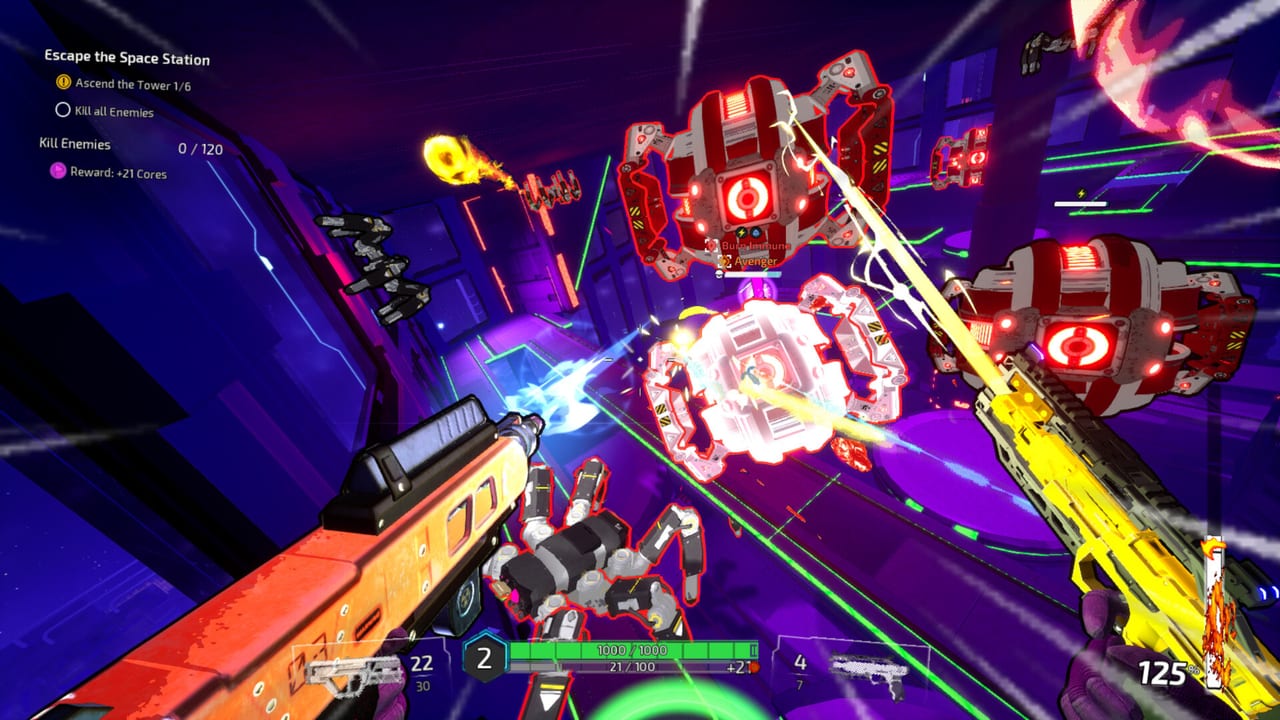
Gunstoppable’s menus look simple until a miss is actually a settings problem. The first two post-launch hotfixes and Patch 28–29 rewired remapping, crosshair visibility, controller deadzones, VSync persistence, Steam Cloud, and low-graphics brightness. This page is the settings companion to Keyboard, Controller, and Accessibility — read those for default binds, then come here when the HUD, camera, or cloud save is lying to you.
CAGE Studios ships a small install (about 950 MB) with a potato-friendly low graphics mode. That mode received a same-day launch hotfix because starting rooms could blow out to bright white. If your first prison hallway looks like a flashbang, you are not broken — update the build and drop graphics before judging Movement.
Display and performance
Launch 1.0 added custom resolution, window modes, VSync, and screen-shake toggles. The August 5 Performance Optimizations hotfix then:
- Improved frame time especially on low graphics
- Fixed the bright white starting-level bug on potato presets
- Made VSync persist between levels (it previously reset as you changed acts)
Patch 29 increased on-screen text size across the game — useful on Steam Deck and couch TV. If UI still clips, that is a different bug: Patch 29 also fixed upgrade menu banners cut off on the bottom row.
Practical order when diagnosing “I cannot hit anything”:
- Confirm you are on the latest Steam build (Patch 29 or newer).
- If the image is blown out, leave low graphics on after the hotfix, or raise the preset if you have GPU headroom.
- Toggle VSync, change one level, and confirm the setting survived.
- Lower screen shake when impacts hide projectiles — listed under comfort on Accessibility.
- Only then compare weapons. A jittery crosshair is not a shotgun problem.
System Requirements and Steam Deck cover hardware floors. Full Deck support was announced August 4, 2026; Verified status was still pending in that post.
Input remapping (day-2 hotfix + Patch 28)
The Bugfixes and Faster Grapple hotfix (day two after launch) is the settings patch most PC players needed:
- Right mouse button remapping now works
- You can bind multiple actions to the same button
- Grapple speed increased (this is feel, not a menu slider — but it changes how aggressive your bind can be)
- Crosshair dot position corrected
- Crosshair stays visible out of combat (it previously vanished between rooms)
Patch 28 then improved small-stick aiming via a deadzone change. If you calibrated a controller during the demo or on launch day, re-test the inner stick. Patch 26 already reworked aim assist, sensitivity curves, and damping; 28 is the follow-up for tiny nudges.
Patch 29 stopped Steam Cloud from syncing settings between devices. That is intentional: a Deck dock session will no longer overwrite your desktop sensitivity. Copy binds by hand if you want them identical.
Keyboard players should still park Reaper on Q (or a reachable remap) because slow time has been manual since Patch 24. Controller default remains B. Details: Controls Hub.
Combat HUD that is actually a setting
| Symptom | Likely setting / patch |
|---|---|
| Crosshair missing between fights | Day-2 hotfix — always-on crosshair |
| Dot not centered | Day-2 hotfix — dot position |
| Aim feels sticky on tiny stick moves | Patch 28 deadzone |
| Dialogue buried under gunfire | Patch 25 separate dialogue slider |
| Pause menu explodes if you mash pause | Patch 29 spam-pause fix |
| Boss bar stuck on the title screen after death | Patch 29 |
| Post-run difficulty label looks wrong | Patch 29 |
None of these replace learning Parry or Reaper Mode. They do stop you from blaming Patch 28 weapon tunes when the reticle was in the wrong place.
Cloud, devices, and Xbox prep
Until August 31, 2026, the live audience is mostly Steam. Patch 29’s no settings Cloud sync matters if you bounce between a desktop, a laptop, and a Deck. Xbox Series players should expect a separate certification pass; do not assume Steam binds migrate. Xbox Series tracks console-specific notes as they appear.
Settings that changed combat itself (not the menu)
These are not sliders, but they change how settings feel in a fight:
- Patch 29 removed attack and reload slowdown when not moving. Standing still is still a damage loss because Patch 26 speed still multiplies damage, attack speed, and reload — but the extra “idle cadence penalty” is gone. Do not confuse that with a new graphics option.
- Patch 29 lengthened base slide duration while holding 125% speed. If your old slide-cancel muscle memory overshoots, that is the patch, not a hidden sensitivity.
- Patch 29 added a short invulnerability window on katana/knife parry. Comfort settings do not create that window; the combat patch does.
Read Patch Notes when a menu looks unchanged but the gun does not.
Recommended baseline (PC, August 2026)
- Latest Steam build.
- Resolution native, VSync on if you see tearing, off if you see input lag on a high-refresh panel.
- Screen shake low enough to read missiles on Fluffy and Vex/Vox.
- Dialogue volume independent of SFX.
- Rebind RMB only after the day-2 hotfix.
- Controller: re-check deadzone after Patch 28.
- Do not expect Cloud to copy this profile to another PC after Patch 29.
Then open Momentum Checklist and run a room. If the same grapple produces two different cameras, you still have a settings problem. If the meter drops at the same corner, you have a movement problem.
Related pages
- Keyboard — default PC binds including Reaper on Q
- Controller — Xbox/Steam pad, Reaper on B
- Accessibility — Camera Comfort, Color Alternatives, save anytime
- System Requirements — potato mode and GTX 1060-class recs
- Steam Deck — handheld graphics
- FAQ — launch-window troubleshooting
Settings will not make a slow route deal fast damage. They will stop a good route from looking like a miss.
Frequently Asked Questions
Quick answers to the most common Gunstoppable questions.
Why did my Gunstoppable crosshair disappear between fights?
The day-2 launch hotfix made the crosshair stay visible out of combat and corrected the dot position. Update past that build before remapping aim.
Can I bind two actions to one mouse button?
Yes after the Bugfixes and Faster Grapple hotfix. Right-mouse remapping was also fixed in that patch.
Do Steam Cloud settings sync across PCs after Patch 29?
No. Patch 29 stopped Steam Cloud from syncing settings between devices so a Deck profile cannot overwrite desktop sensitivity.
My first rooms are blinding white on low graphics. Is that normal?
It was a launch bug. The August 5 Performance Optimizations hotfix fixed bright-white starting levels on the potato preset.
Did Patch 29 add a new sensitivity slider?
No new slider for the idle cadence change. Patch 29 removed attack/reload slowdown when standing still and lengthened slides; re-test feel rather than hunting a hidden menu.