Gunstoppable Controls
Every input for momentum combat on PC and Xbox
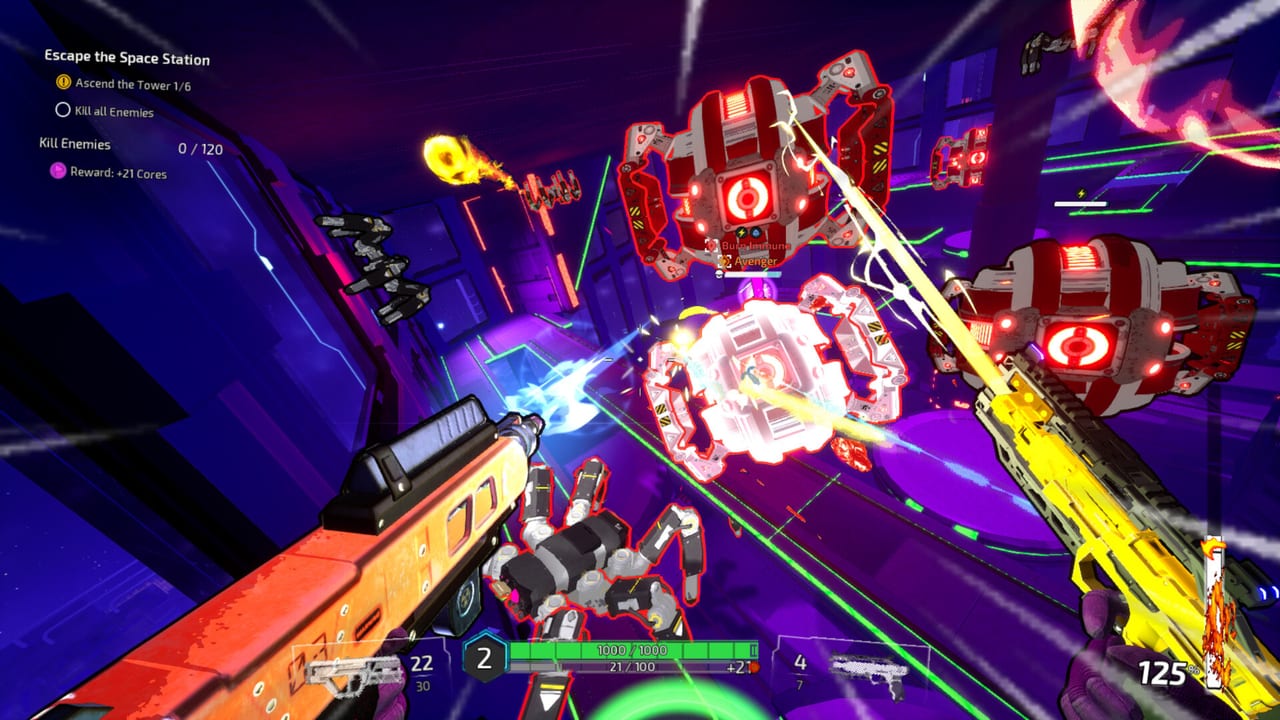
Gunstoppable is a momentum roguelite FPS from CAGE Studios where standing still is a death sentence. Speed directly multiplies your damage, so every control input feeds into how hard Fenix hits robots, crabs, and the five capitalist bosses waiting at the end of each run. This hub collects every official binding for keyboard and mouse on Steam, plus full controller support on PC and Xbox Series consoles launching August 31, 2026.
Whether you are learning your first slide into a wall-run or fine-tuning Reaper Mode timing, start here before diving into weapon builds or boss strategies elsewhere on the wiki.
Why controls matter in Gunstoppable
Unlike cover-based shooters, Gunstoppable rewards constant motion. Grapple hooks, slides, wall-runs, and rail-grinds are not optional flair—they are how you stack the speed multiplier that turns space pistols into room clears. Parries add burst damage and keep chains alive when bullet-hell patterns tighten. Dual-wield firing means you juggle two independent triggers while never breaking flow.
Reaper Mode is the payoff: after building a kill chain, you press Q on keyboard or B on controller to slow time for everyone except Fenix. That manual activation replaced older automatic triggers, giving you control over when to spend the meter for maximum cluster deletes.
PC keyboard and mouse
The keyboard and mouse guide documents default Steam bindings for movement, both fire buttons, parry, grapple, slide, wall-run, rail-grind, weapon swap, and Reaper Mode on Q. Steam supports full remapping, including mouse side buttons and scroll wheel actions added in recent patches.
Key habits for PC players:
- Bind grapple and slide near movement keys so you can chain them without looking down.
- Keep Reaper on an easy reach key—Q by default—because wasting a full chain hurts more than a missed shot.
- Use separate fire keys for left and right weapons so you can stagger reloads during dual-wield combos.
Controller on PC and Xbox
The controller guide covers Xbox layout, Reaper on B, aim assist feel, and comfort options listed on the Steam store page. Gunstoppable ships with native controller support; Steam Input can remap paddles and gyro if you play on PC with a pad.
Controller players often map grapple to a shoulder button and slide to a face button alternative so thumbs stay on sticks during rail-grinds. Reaper on B sits naturally beside jump and parry on most default layouts.
Movement tech cross-reference
Controls only work when you understand what each action does in combat. Read the movement and momentum guide for speed storage after wall hits, optimal grapple angles, and how rail-grinds maintain damage scaling mid-fight.
Pair that with Reaper Mode to learn chain thresholds, slow-time duration, and when to enter Reaper before a billionaire boss phase rather than during trash waves.
Combat inputs tied to builds
Your hands handle movement; your loadout handles damage. After learning bindings, visit the weapons hub for all ten base guns, the attachments and augments hex grid, and starter builds that assume you can slide-parry-grapple without thinking.
Between runs, Kane the Rat sells meta upgrades—controls get you to the merchant alive; builds win the run.
Platform and accessibility notes
Gunstoppable is single-player only. Steam launched August 5, 2026; Xbox follows August 31, 2026. Both platforms share the same combat verbs; differences are mostly binding menus and Steam-specific rebind depth on PC.
Check patch notes on Steam for input tweaks—the day-2 hotfix sped up grapples and fixed remaps; Patch 28 changed controller deadzones; Patch 29 stopped Steam Cloud from copying settings between devices. Full walkthrough: Settings.
Accessibility and comfort
Gunstoppable lists substantial comfort options on Steam at launch: full controller support, Camera Comfort, Color Alternatives, custom volume with a separate dialogue slider (Patch 25), Playable Without Timed Input, Save Anytime, and low graphics mode for minimum-spec PCs. These settings help motion-sensitive players enjoy momentum combat without disabling the skill ceiling.
The dedicated Accessibility guide walks through each option, recommended baselines for grapple-heavy biomes, and how comfort settings interact with Achievements and Leaderboards hunting.
Where to go next
| Goal | Page |
|---|---|
| Full PC key list | Keyboard controls |
| Xbox and gamepad | Controller controls |
| Comfort and accessibility | Accessibility settings |
| Remaps, crosshair, Cloud | Settings |
| Speed = damage | Movement & momentum |
| Slow-time kills | Reaper Mode |
| Loadout planning | Weapons hub |
| Meta shop | Kane the Rat |
| Rankings | Tier list |
Master the inputs once, then let momentum and weapon synergies carry every roguelite run.
Frequently Asked Questions
Quick answers to the most common Gunstoppable questions.
Does Gunstoppable support full controller play?
Yes. Gunstoppable offers full controller support on PC via Steam and on Xbox Series consoles. Every combat and movement action, including Reaper Mode on B, works from a gamepad.
Can I rebind keyboard and mouse on Steam?
Steam lets you remap movement, fire, parry, grapple, slide, wall-run, rail-grind, and Reaper Mode. Recent patches added mouse side button and scroll wheel binding support.
Which key activates Reaper Mode on PC?
Press Q to manually activate Reaper Mode after building a kill chain. Time slows for enemies while Fenix moves and attacks at full speed.
Is Gunstoppable multiplayer or multiplayer?
No. Gunstoppable is a single-player roguelite FPS. All control guides on this wiki assume solo runs as Fenix.
Where do I learn movement beyond basic bindings?
Read the [movement and momentum guide](/guides/movement-momentum/) for speed scaling, wall-run chains, and how motion ties directly to damage output.
Where are Camera Comfort and dialogue volume settings?
See the [Accessibility guide](/controls/accessibility/). Patch 25 added a separate dialogue slider; Camera Comfort and Color Alternatives are listed on the Steam store page.